Short comments for screenshot markers
A reviewer should be able to click a dot beside an exact area and understand one useful point. Every comment recommends a change, a decision to settle, or a helpful behavior to preserve. “Shared pattern” marks an issue the team may address through a common rule or component across checked screens. Other comments apply to the shown screen. The title and comment below are the popup copy; evidence stays linked behind each comment.
These comments feed the implemented clickable review. The Markdown remains the wording source of truth. Locations use percentages from the saved image's top-left corner, written as x, y. They are visual placement guides for these exact captures; recheck placement at full size and after any crop or new screenshot. Use the text target to confirm the intended element. Do not display a marker on a missing target. The journey assessment explains the scenarios; Findings is the main record of issues and recommendations.
C01: Explain what completion gives
Comment: “Separate the badge awarded on completion from preparation for an outside exam. Name the exam and explain any further steps.”
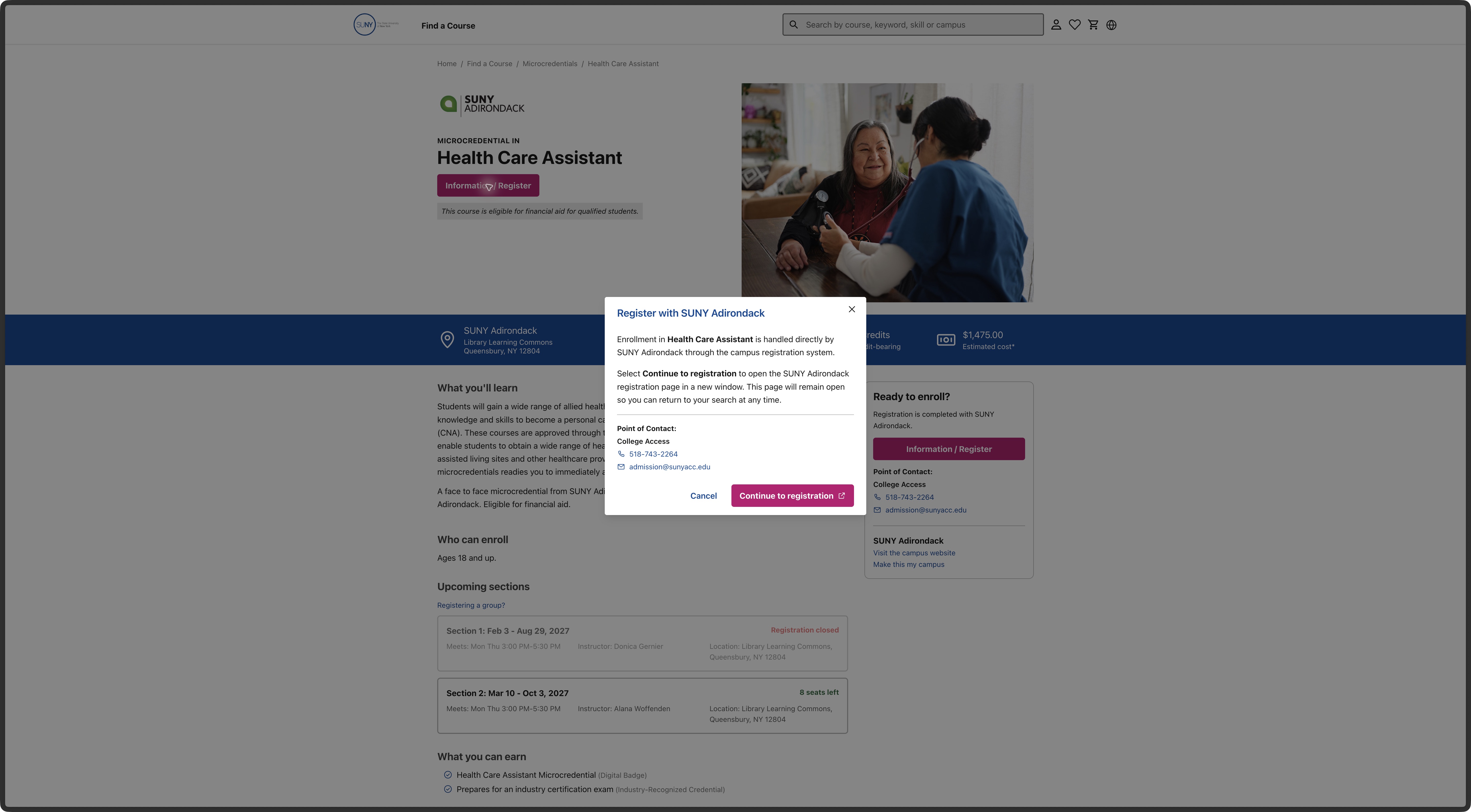
Observed here: The Health Care Assistant page lists a completion award and exam preparation together under “What you can earn.”
Target: Health Care Assistant, What you can earn, exam-preparation entry. Location: 40.5%, 97.3%. Type: improvement. Category: Content Strategy. Journey stage: Look at a course. Scope: Shared pattern. Trace: F-021, N-003, E-028; credential-understanding research. Campus approval of the award/exam wording remains open.
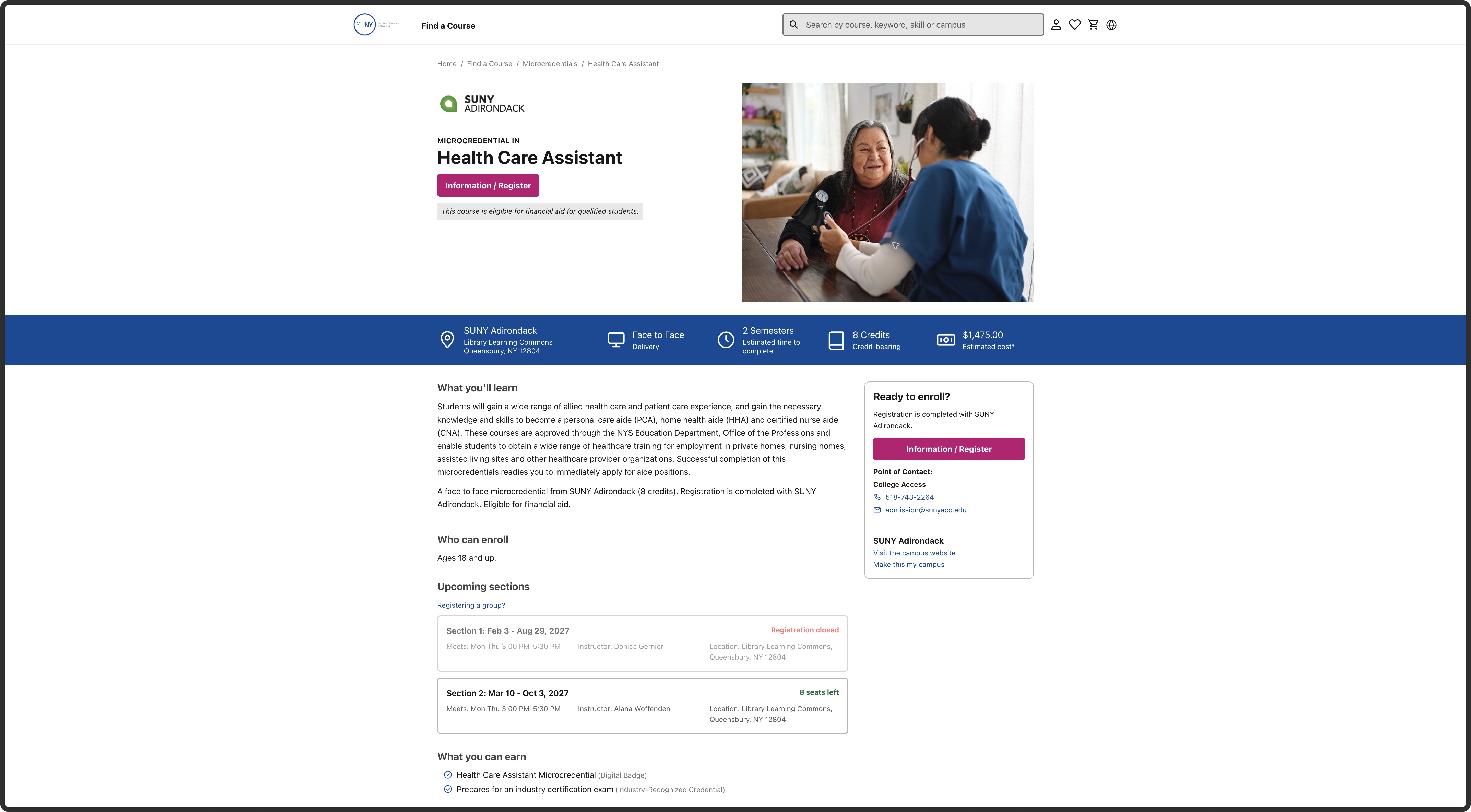
C02: Explain the cost estimate
Comment: “Show what this estimate includes, any extra costs, and where the learner can confirm the final amount before deciding.”
Observed here: The Health Care Assistant facts strip shows $1,475 as an estimated cost without a breakdown beside it.
Target: Health Care Assistant, $1,475 estimated cost in the blue facts strip. Location: 67.2%, 41.8%. Type: question for the owner. Category: Content Strategy. Journey stage: Look at a course. Scope: Shared pattern. Trace: F-023, N-002, E-028; practical-fit research. The owner must supply the cost breakdown.
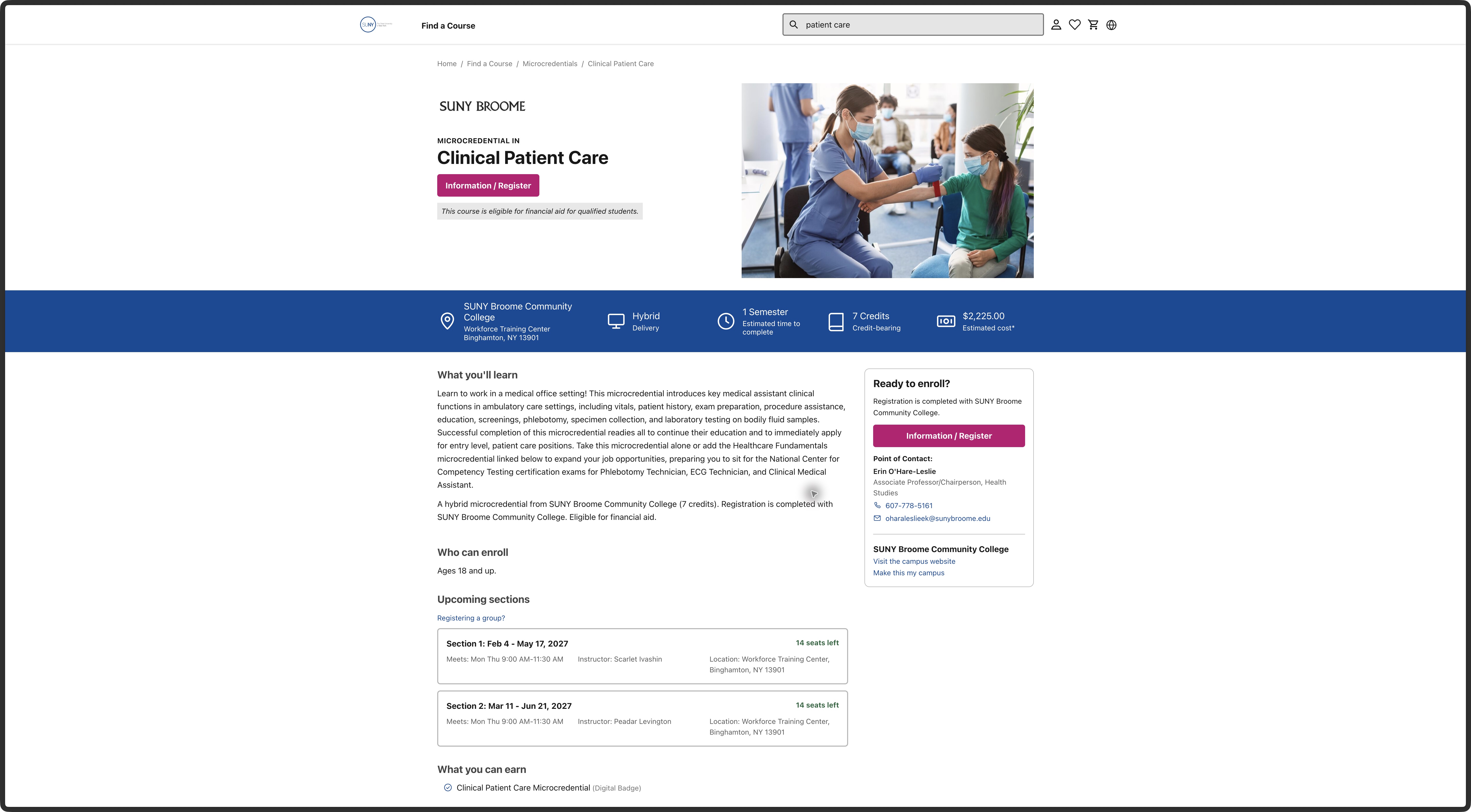
C03: Explain hybrid attendance
Comment: “Show which sessions are online and which require a campus visit. Include any study outside set meetings so people can judge travel and work commitments.”
Observed here: The Clinical Patient Care facts strip says “Hybrid Delivery” but does not say which meetings require travel.
Target: Clinical Patient Care, Hybrid Delivery in the blue facts strip. Location: 44.1%, 39.5%. Type: improvement. Category: Content Strategy. Journey stage: Look at a course. Scope: Shared pattern. Trace: F-029, N-001, E-046; format research. Campus scheduling details are needed.
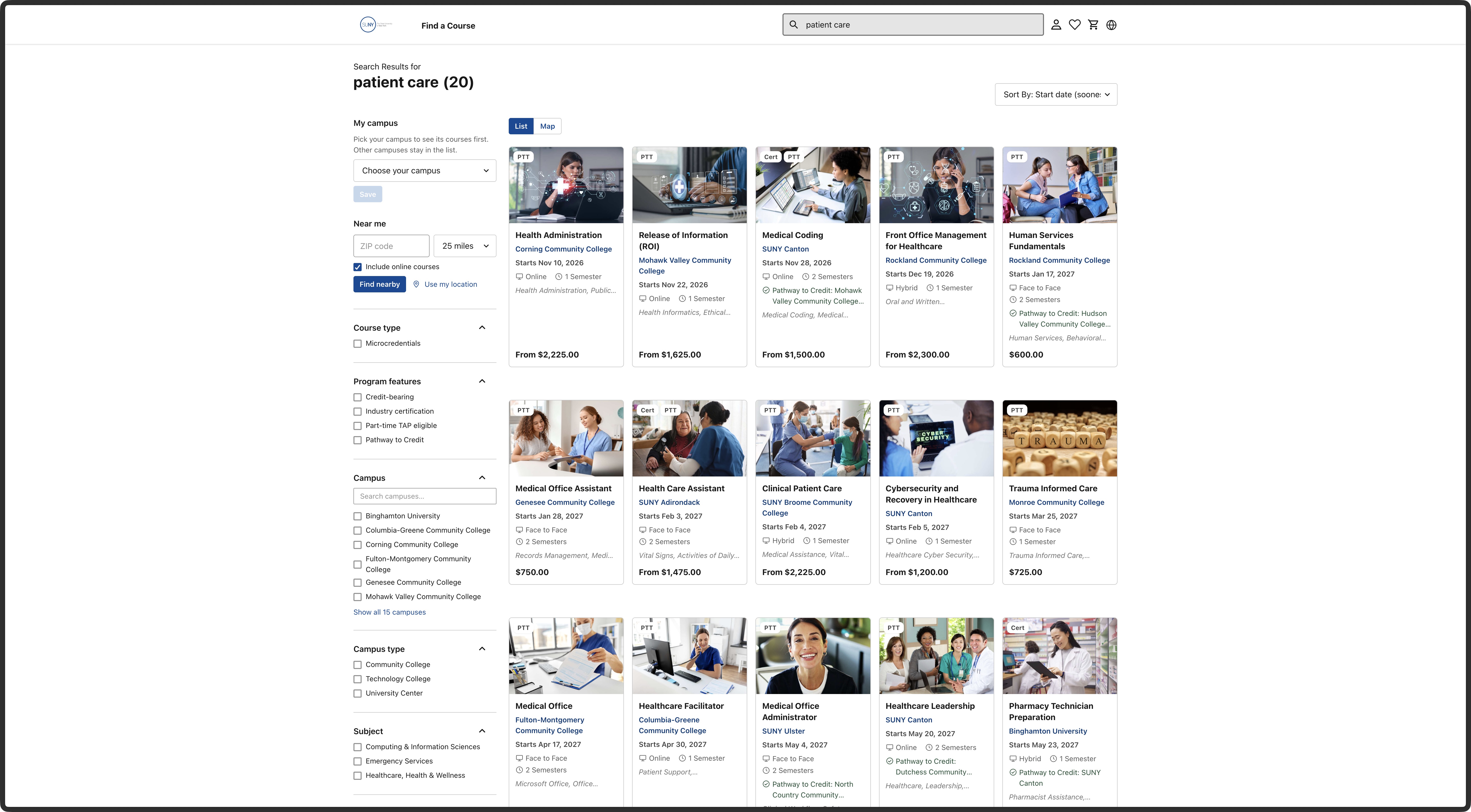
C04: Show meeting times while comparing
Comment: “A start date and semester length do not show when someone must attend. Add meeting days and times, when known, so people can compare options around other commitments.”
Observed here: The Patient Care result card shows a start date and duration, but no recurring meeting times.
Target: Patient-care search, Clinical Patient Care card, date/delivery/duration area. Location: 55.5%, 65.1%. Type: improvement. Category: Information Architecture. Journey stage: Search and browse. Scope: Shared pattern. Trace: F-030, N-001, E-045–046; practical-fit research. Proposed layout, not a tested improvement.
C05: Help beginners judge the level
Comment: “Say what someone should know before starting and give a few examples of what they will be able to do afterward.”
Observed here: The Spanish course explains the topic but gives little help judging the starting level.
Target: Online Spanish, What you'll learn description. Location: 42.1%, 50.1%. Type: improvement. Category: Content Strategy. Journey stage: Look at a course. Trace: F-031, N-003, E-048; personal-value research. The campus must confirm starting knowledge and outcomes.
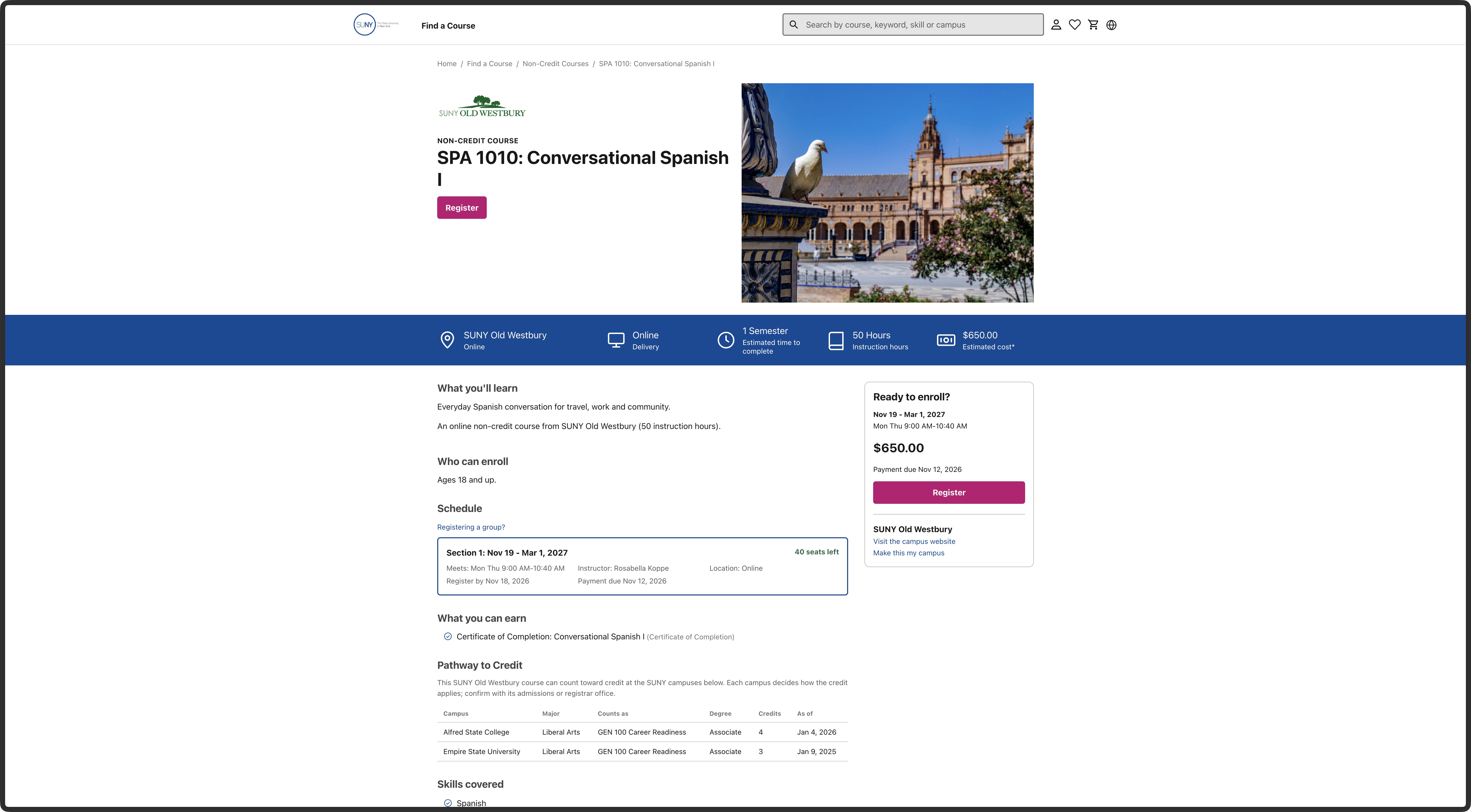
C06: Give people a way to ask first
Comment: “Add a clear way to ask about this course before registering. Keep the course name with the question and say which campus will answer.”
Observed here: The Spanish course puts Register beside the class summary, without a course-specific question route there.
Target: Online Spanish, Ready to enroll panel beside Register. Location: 64.4%, 60.7%. Type: question for the owner. Category: Information Architecture. Journey stage: Ask a question. Scope: Shared pattern. Trace: F-032, N-005, E-048; FRD public-inquiry rules and May feedback, linked in the journey assessment. Confirm the approved help channel before final copy.
C07: Spell out unfamiliar labels
Comment: “Use clear labels for funding and credentials. Short forms such as PTT and Cert need an explanation where people make their choice.”
Observed here: The catalog uses short badges including “PTT” beside courses.
Target: Catalog, PTT badge on Teaching Assistant III, first row. Location: 45.6%, 19.3%. Type: improvement. Category: Content Strategy. Journey stage: Search and browse. Scope: Shared pattern. Trace: F-021, N-002–003, E-027; May plain-language feedback and credential research. Actual learner understanding has not been tested.
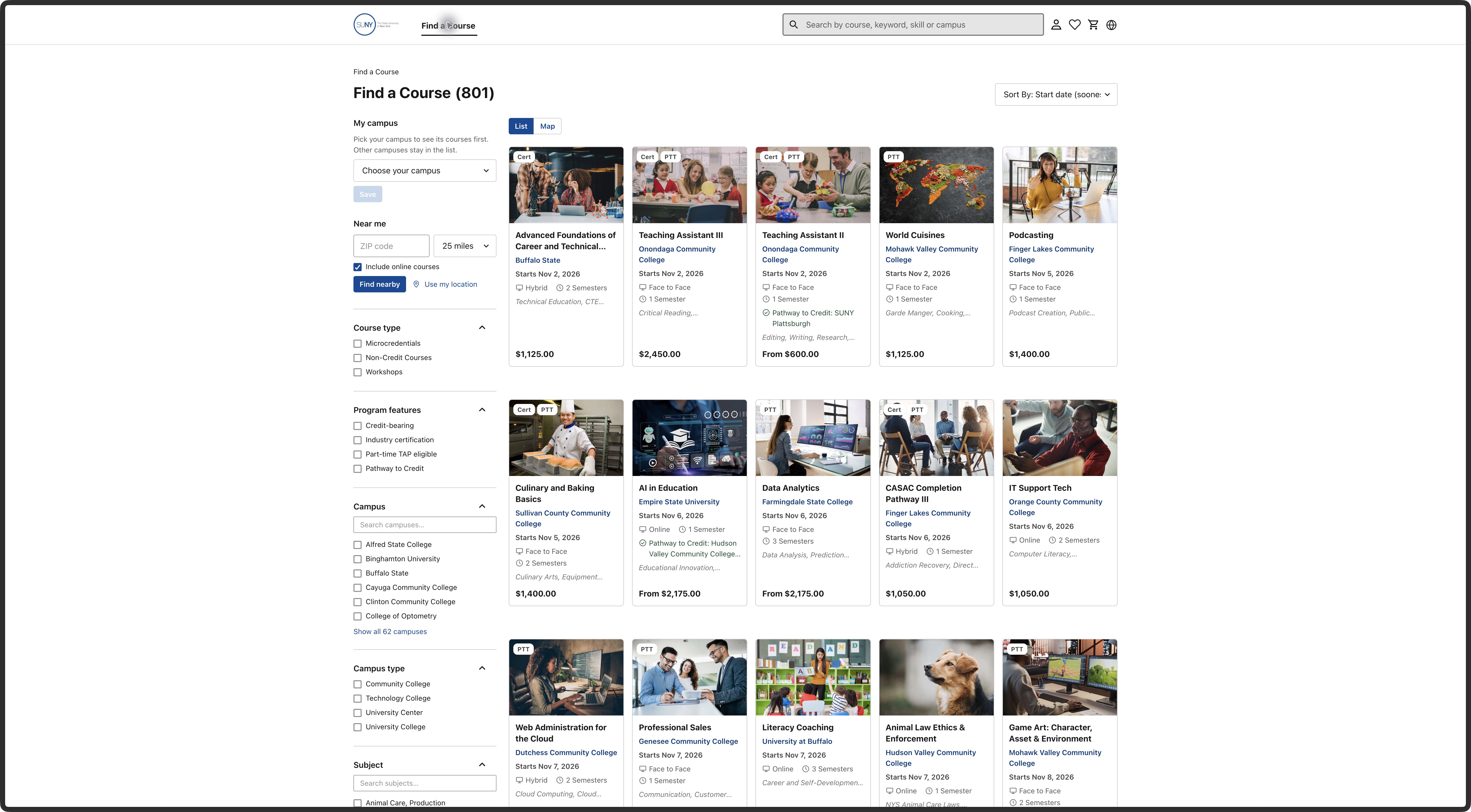
C08: Explain who each place is for
Comment: “Explain whether quantity means places for extra learners. Show how each person is named before allowing a group purchase.”
Observed here: The cart has a quantity control for one selected class, without explaining who an added place is for.
Target: Cart, Quantity selector. Location: 39.0%, 18.8%. Type: question for the owner. Category: Information Architecture. Journey stage: Next step. Trace: F-026, N-006, E-031; current cart/group rules and May's unresolved discussion. This is not approval of a group-purchase model.
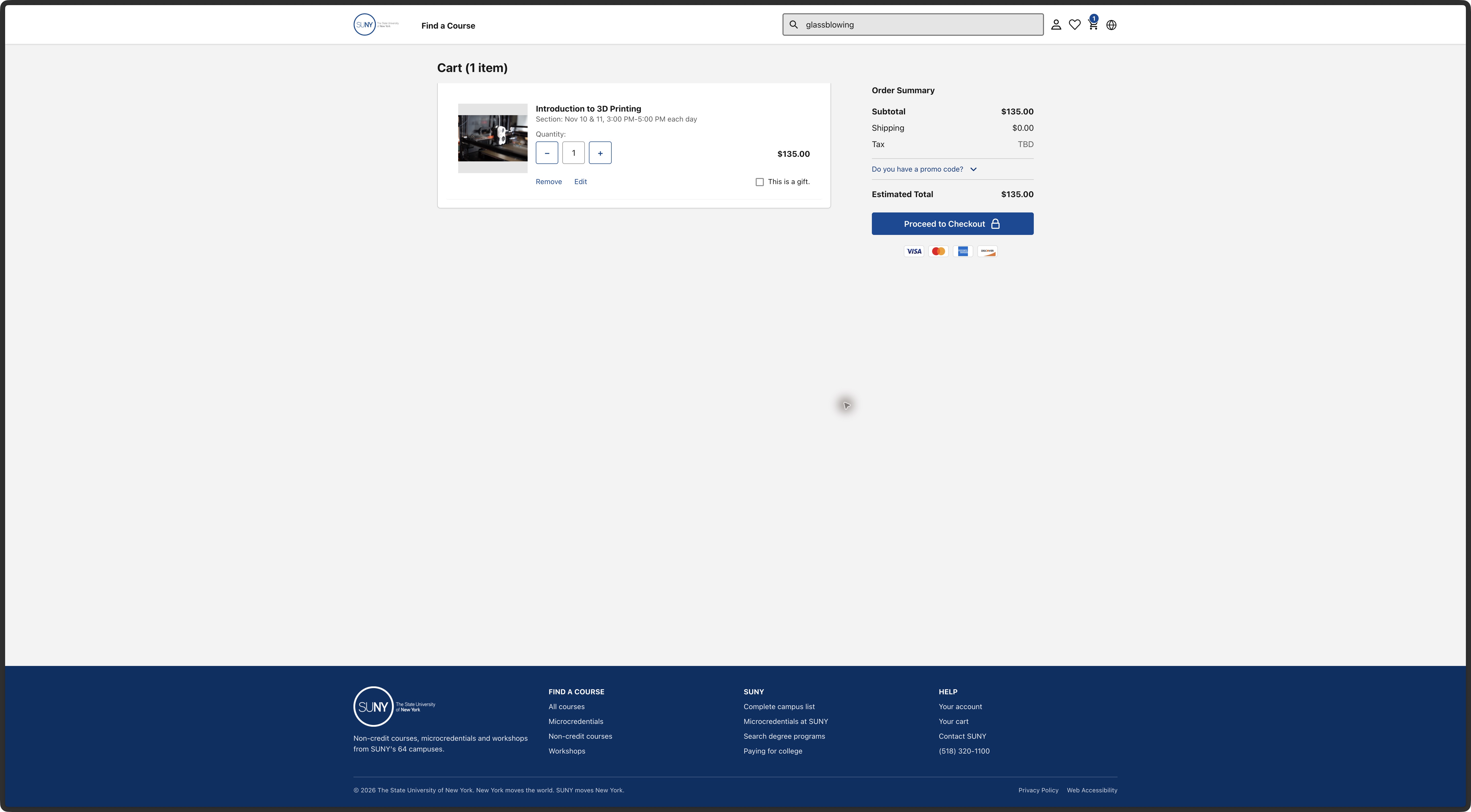
C09: Clarify the payment deadline
Comment: “Payment is due before registration closes. Explain what happens if someone registers after the payment date.”
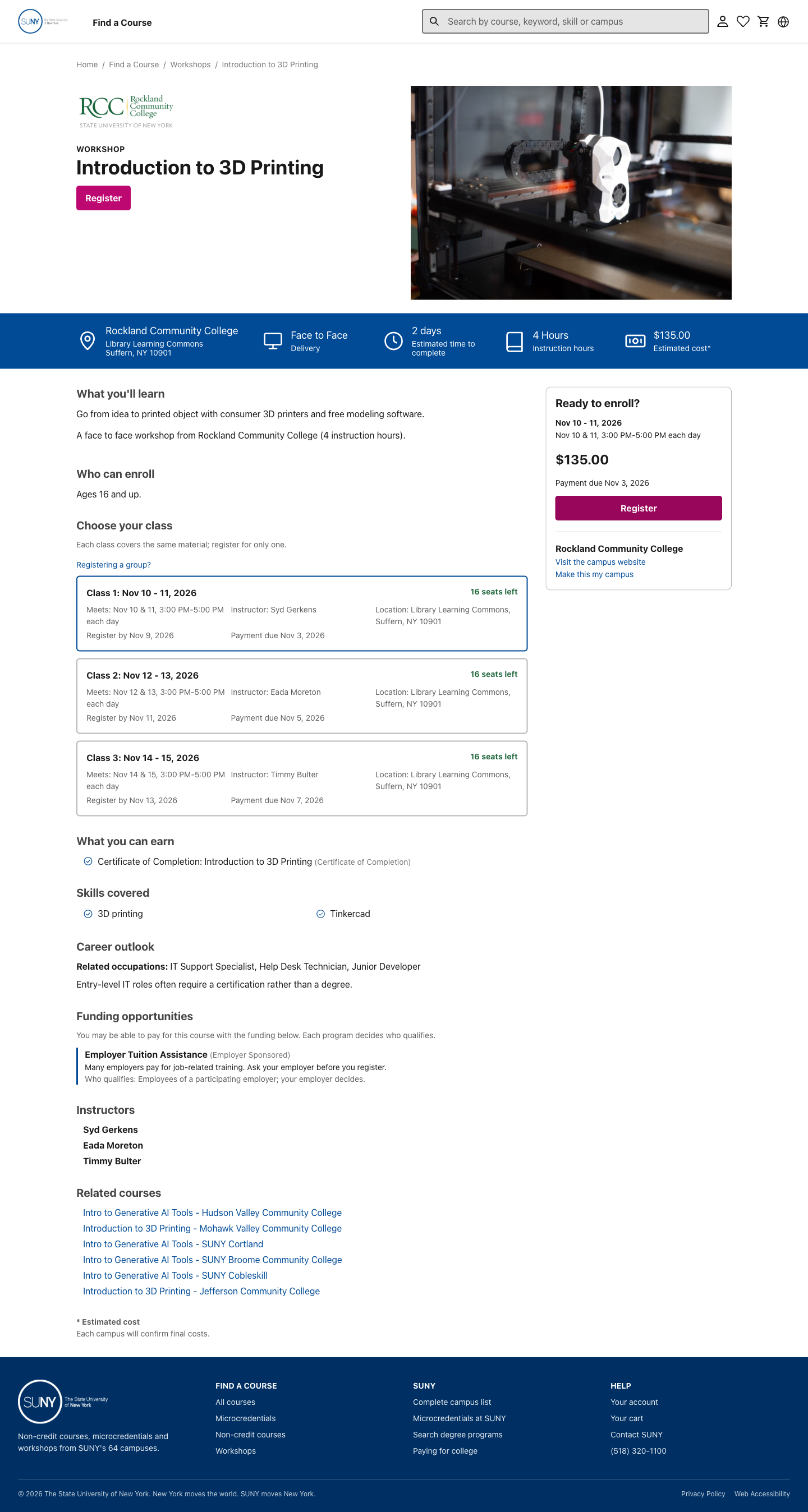
Observed here: The workshop shows payment due November 3 and registration open until November 9.
Target: Workshop details, Payment due November 3 in Ready to enroll. Location: 64.2%, 54.7%. Type: question for the owner. Category: Content Strategy. Journey stage: Pick when to take it. Scope: Shared pattern. Trace: F-023, N-001–002, E-027. The late-registration rule was not tested or confirmed.
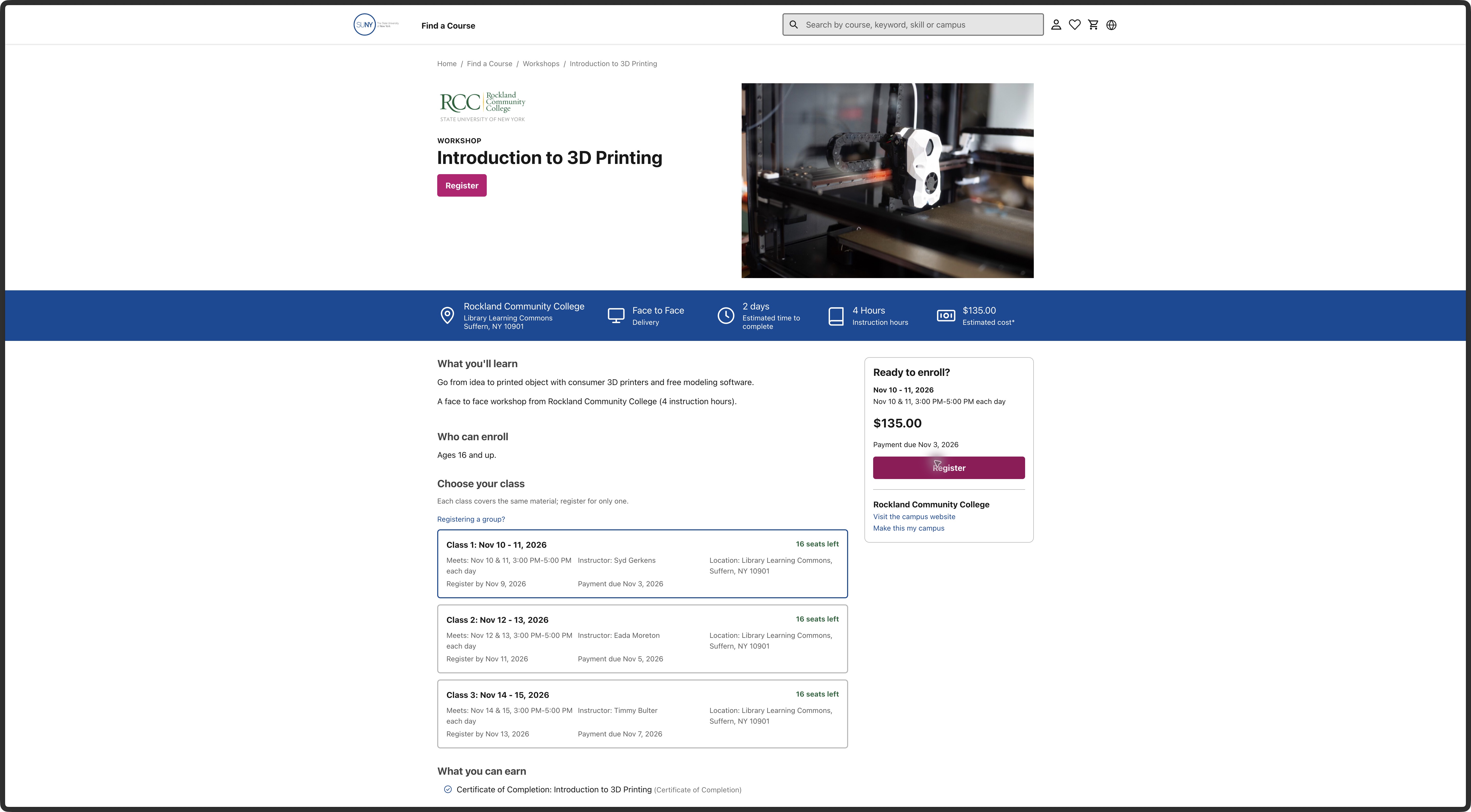
C10: Say what Register does next
Comment: “This button adds the selected class to a cart. Use wording that makes that next step clear before someone clicks.”
Observed here: The workshop’s Register button adds the chosen class to a cart.
Target: Workshop details, Register in Ready to enroll. Location: 64.4%, 57.6%. Type: improvement. Category: Information Architecture. Journey stage: Next step. Scope: Shared pattern. Trace: F-025, N-004, E-031. The cart addition was observed; completed registration and seat reservation were not established.
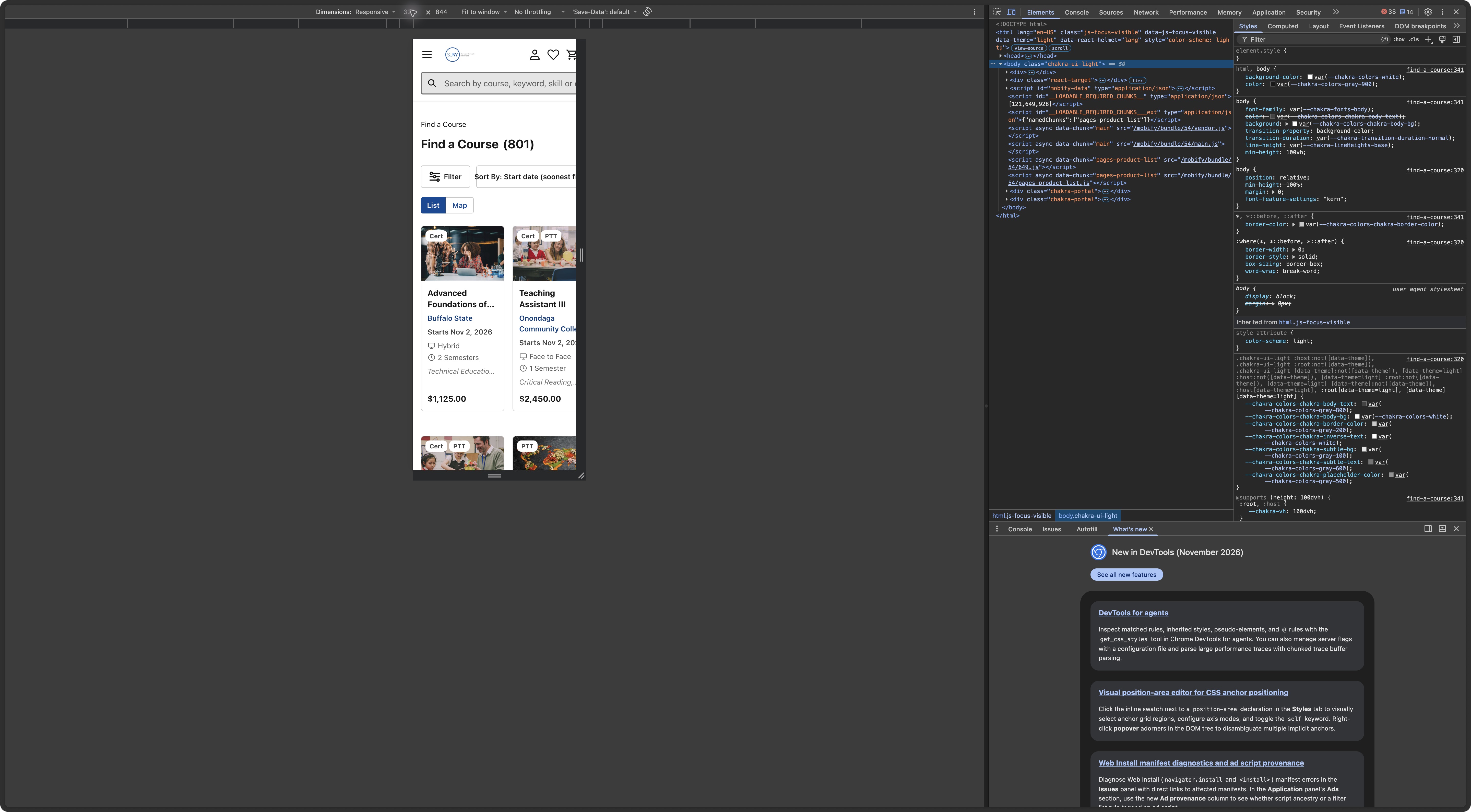
C11: Make the course list fit on a phone
Comment: “On a small phone, part of the controls and a course card are cut off. Let the whole list fit so people can compare their choices.”
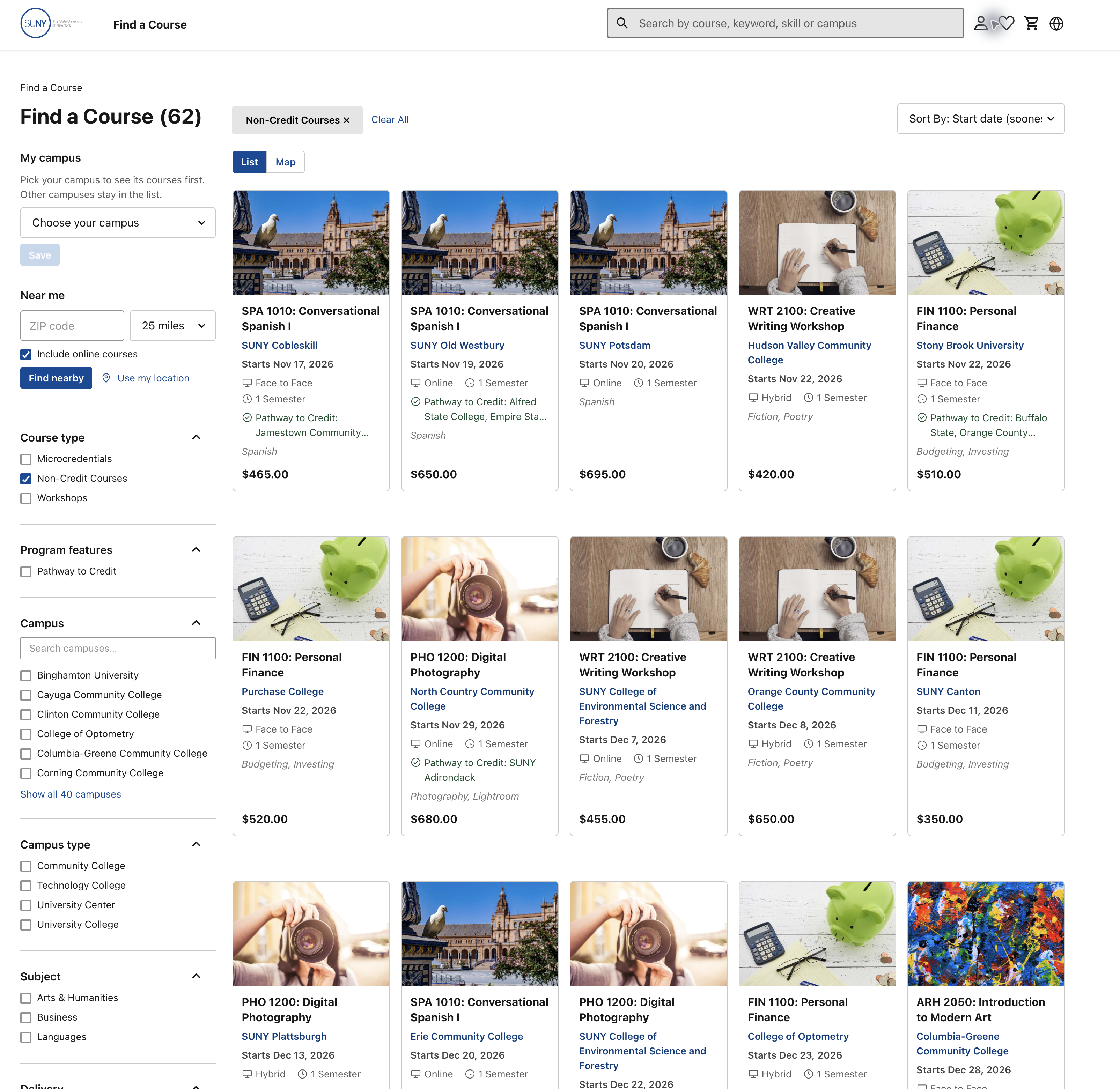
Observed here: On a narrow phone view, the course list extends past the right edge and hides part of a result card.
Target: Course list on a small phone, right edge of the second result card. Location: 38.9%, 40.5%. Type: improvement. Category: Accessibility. Journey stage: Search and browse. Scope: Shared pattern. Trace: F-028, N-001/N-004, E-044; W3C reflow guidance. Responsive preview, not a physical-phone test.
C12: Make closed registration easier to read
Comment: “The ‘Registration closed’ message is too faint. Use darker text so people can still tell that this class is unavailable.”
Observed here: The closed-class message is faint even though it carries the class’s availability.
Target: Health Care Assistant, Registration closed in Section 1. Location: 54.9%, 77.7%. Type: improvement. Category: Accessibility. Journey stage: Pick when to take it. Trace: F-027, N-001/N-004, E-063; live styles and opacity calculation. Live measurement supersedes E-038 screenshot screening.
C13: Class choices explain their differences
Comment: “Keep this explanation that the classes cover the same material. The selected class also updates the date and payment summary.”
Observed here: The workshop says each class covers the same material, and its summary changes with the selected class.
Target: Workshop details, explanation below Choose your class. Location: 42.0%, 61.6%. Type: keep what works. Category: Information Architecture. Journey stage: Pick when to take it. Trace: N-001/N-004, E-027; selected-class update in capture 03. No comprehension claim.
C14: Keep the campus next step clear
Comment: “Keep the campus name, new-window explanation and contact details together. They make the next step and the responsible campus clear.”
Observed here: The handoff names the campus, explains that a new window opens and provides contact details.
Target: Campus handoff, explanation in the modal. Location: 49.7%, 47.8%. Type: keep what works. Category: Information Architecture. Journey stage: Next step. Trace: N-004/N-005, E-028 and F-025. The destination beyond this handoff was not followed.
C15: Keep career advice relevant
Comment: “This printing workshop lists IT support and developer roles. Confirm the link to those jobs, then use career information supported by this offering.”
Observed here: A 3D printing workshop lists IT support and developer roles in its career section.
Target: Rockland workshop, Career outlook, related-occupations sentence. Location: 40.0%, 63.9%. Type: question for the owner. Category: Content Strategy. Journey stage: Look at a course. Trace: F-022, N-003, observed text E-027. Content origin is unknown.
C16: Agree how main buttons should look
Comment: “The main buttons change from pink to blue between browsing and checkout. Agree how main actions, links and selected choices should look, then use that rule across the site.”
Observed here: The workshop uses a pink Register button while the cart uses a blue checkout button.
Target: Cart, blue Proceed to Checkout, compared with the magenta Register action. Location: 64.8%, 27.5%. Type: question for the owner. Category: Visual Design. Journey stage: Next step. Scope: Shared pattern. Trace: F-033, N-004; E-031/E-050/E-052 and design guidance R15–R18. This asks for an agreed visual-role rule; learner confusion has not been measured.
C17: Show useful course facts sooner
Comment: “Reduce the image and empty header space so learning outcomes, meeting times and entry requirements are easier to reach.”
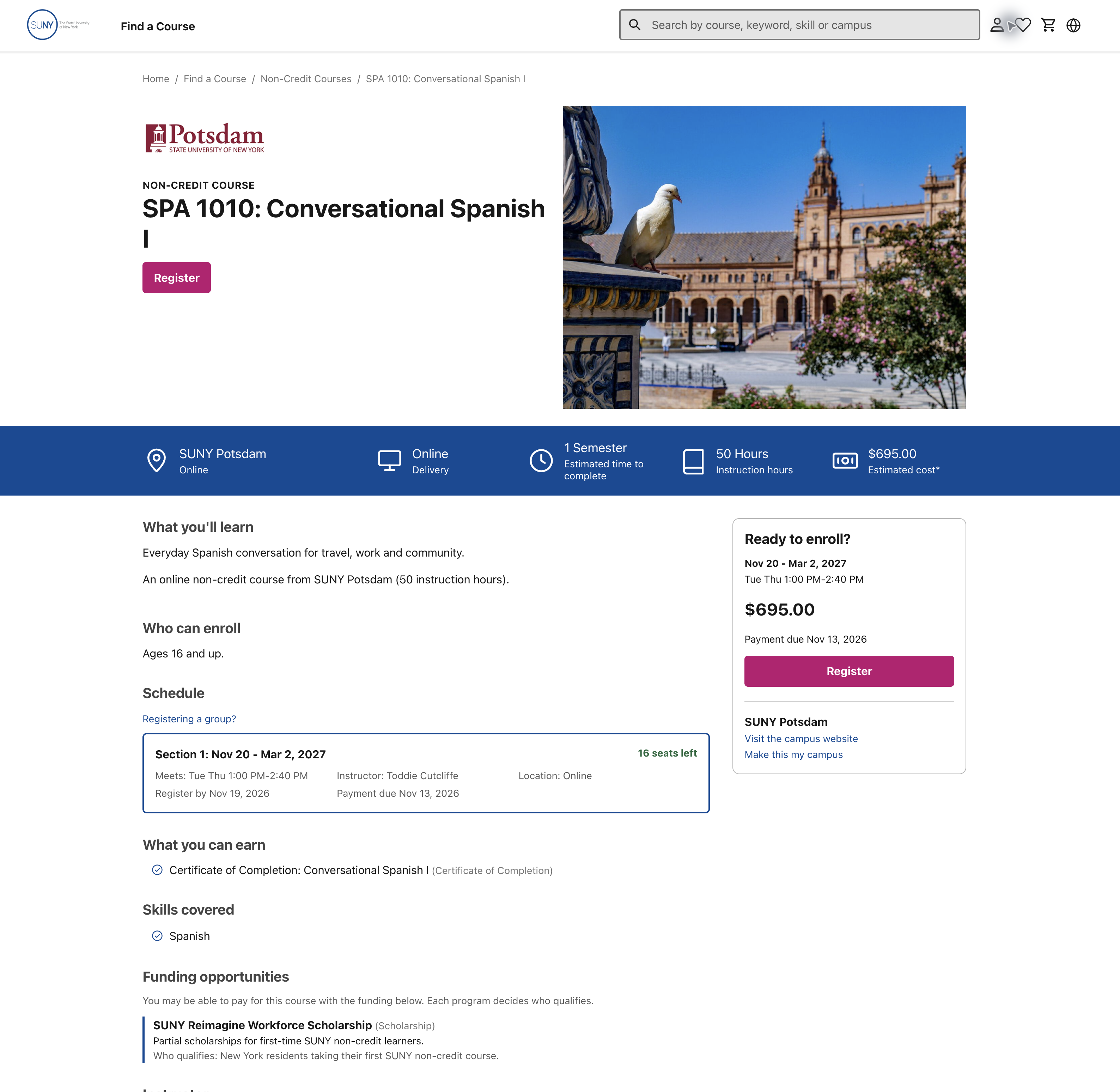
Observed here: A large photograph and open space come before key course facts on the Potsdam page.
Target: Potsdam detail, large photograph and surrounding header space. Location: 69.0%, 23.5%. Type: improvement. Category: Visual Design. Journey stage: Look at a course. Trace: F-034, N-001–003, E-052; hierarchy guidance R14. Proposed layout, not a measured attention/scrolling result.
C18: Keep the course level with its name
Comment: “Keep Spanish I together when the heading wraps. Adjust the heading size or width so the course level is not left on a line by itself.”
Observed here: The Potsdam Spanish title wraps so the “I” appears on a line by itself.
Target: Potsdam detail, isolated I below the course title. Location: 13.3%, 21.8%. Type: improvement. Category: Visual Design. Journey stage: Look at a course. Trace: F-035, N-003, E-052. Check long titles, narrow screens and text enlargement; this wrap alone is not a WCAG failure.
C19: Make courses easier to compare
Comment: “Give campus, attendance and cost a consistent order and emphasis. Keep long credit-pathway details secondary so the main comparison is easier to scan.”
Observed here: The Spanish result card gives several facts, while its long credit-pathway text competes with them.
Target: Course list, first Spanish card's metadata and long pathway text. Location: 28.1%, 38.4%. Type: improvement. Category: Information Architecture. Journey stage: Search and browse. Trace: F-036/F-030, N-001–003, E-051; hierarchy guidance R14. Preserve access to the full pathway details.
C20: Make meeting details stand out
Comment: “Give meeting days and times their own clear line. Make them easy to read, with location and deadlines grouped where people expect to find them.”
Observed here: The Potsdam class puts meeting time, instructor and location in one compact line.
Target: Potsdam detail, compact meeting/instructor/location row inside Section 1. Location: 26.6%, 70.9%. Type: improvement. Category: Visual Design. Journey stage: Pick when to take it. Trace: F-037, N-001, E-052. Related client context: Denise's tiny-footer concern in the May 21 demo, 41:40–43:15, pages 31–33. That was a presentation comment, not a finding about this schedule. The sampled footer sizes and real browser zoom are now recorded in E-063/064; full cross-state coverage remains open.
C21: Make the search hint easier to read
Comment: “The hint inside the search box is faint. Make it darker, and keep a label visible while someone types so they know what they can search for.”
Observed here: The homepage search hint appears light inside the hero search field.
Target: Homepage, light placeholder in the hero search input. Location: 26.94%, 10.66%. Type: improvement. Category: Accessibility. Journey stage: Hear about it. Scope: Shared pattern. Trace: F-038, N-004, E-050/E-053; live confirmation E-061. This is not attributed to a client faded-color comment.
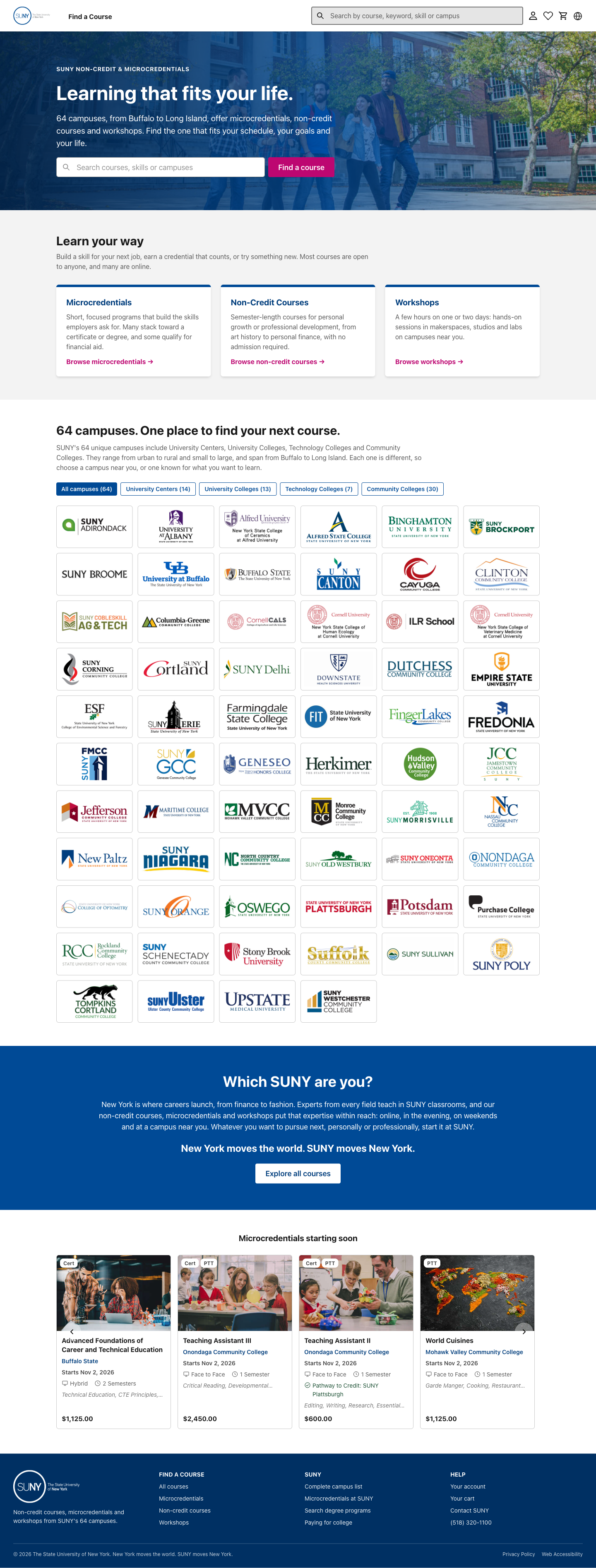
C22: Keep the ZIP label visible
Comment: “The ZIP code hint is faint and disappears when someone types. Darken the hint and keep ‘ZIP code’ visible as a label.”
Observed here: The ZIP code field relies on a light hint that disappears once someone types.
Target: Course list, ZIP code input. Location: 8.0%, 29.9%. Type: improvement. Category: Accessibility. Journey stage: Search and browse. Scope: Shared pattern. Trace: F-038, N-001/N-004, E-051/E-053; live contrast confirmation E-061. All-state checks remain open.
C23: Availability is written out
Comment: “Keep ‘16 seats left’ written out. Color can support that message, but people should not have to rely on it.”
Observed here: The Potsdam class writes “16 seats left” next to its availability color.
Target: Potsdam detail, 16 seats left in Section 1. Location: 59.6%, 69.0%. Type: keep what works. Category: Accessibility. Journey stage: Pick when to take it. Trace: N-001/N-004, E-052. Programmatic status and actual contrast remain separate checks.
C24: Show keyboard focus
Comment: “When someone tabs to Register, show a clear outline so they know which button will respond.”
Observed here: The sampled Register button did not show a visible focus indicator during keyboard navigation.
Target: Register by keyboard, top Register button. Location: 12.8%, 32.0%. Type: improvement. Category: Accessibility. Journey stage: Look at a course. Scope: Shared pattern. Trace: F-039, N-004, E-062; WCAG 2.4.7. The button has focus in this saved state.
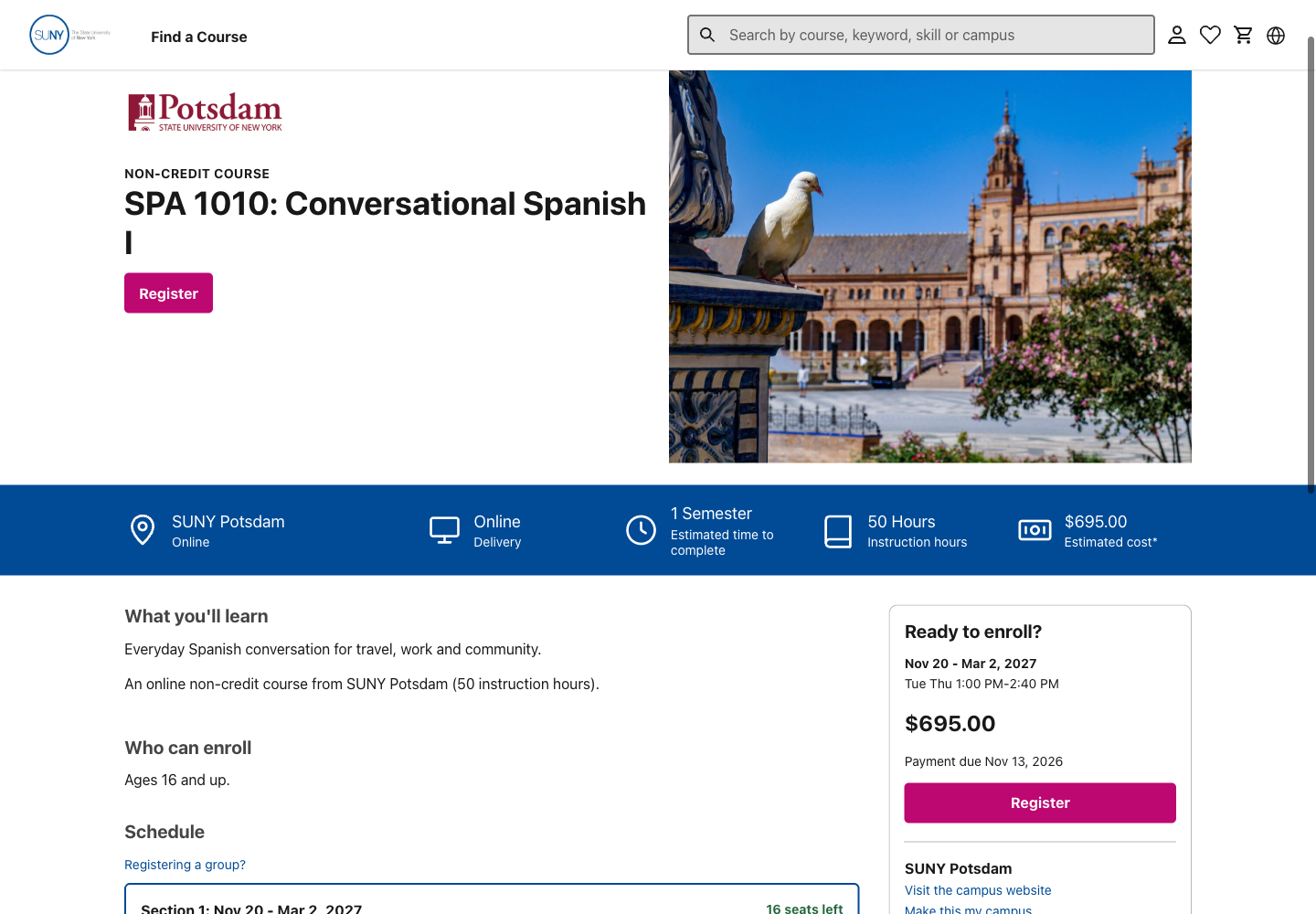
C25: Keep the focused link in view
Comment: “After someone uses Skip to Content, the Home link hides behind the header. Leave space so the selected link stays in view.”
Observed here: After Skip to Content, the focused Home breadcrumb sits behind the fixed header.
Target: Home link after Skip to Content, header covering the focused Home breadcrumb. Location: 10.8%, 4.0%. Type: improvement. Category: Accessibility. Journey stage: Look at a course. Trace: F-040, N-004, E-062; WCAG 2.4.11. This marker targets the covering header; the linked log records the hidden link's location.
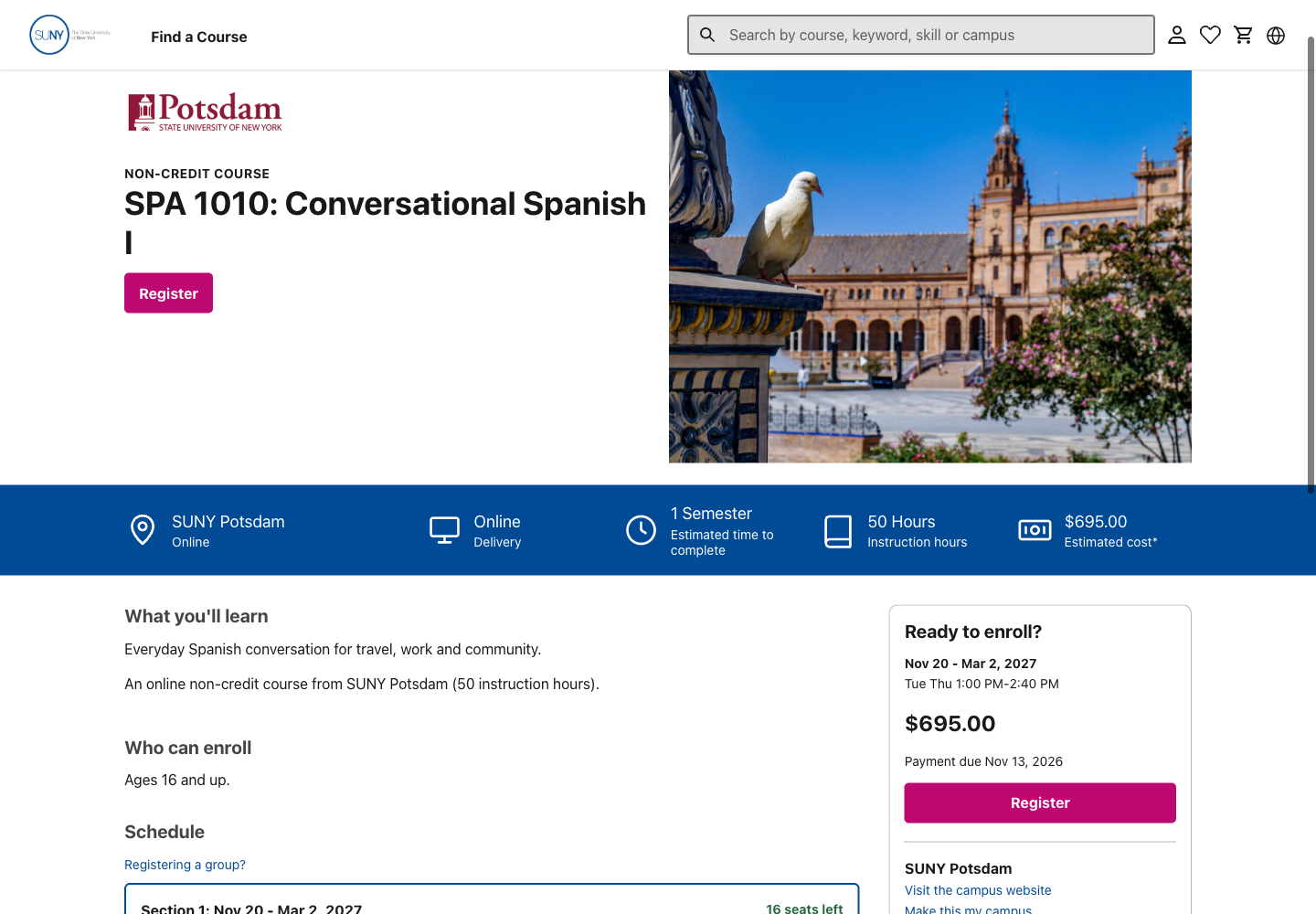
C26: Make search help work
Comment: “After a search has no matches, Contact Us gives no visible response. Make it open a working way to ask for help.”
Observed here: In the checked no-result state, Contact Us gave no visible response to pointer or keyboard activation.
Target: Empty search, Contact Us button below the zero-result message. Location: 60.8%, 30.0%. Type: improvement. Category: Information Architecture. Journey stage: Ask a question. Trace: F-024, N-005, E-033. The cause is unknown; no inquiry was submitted.
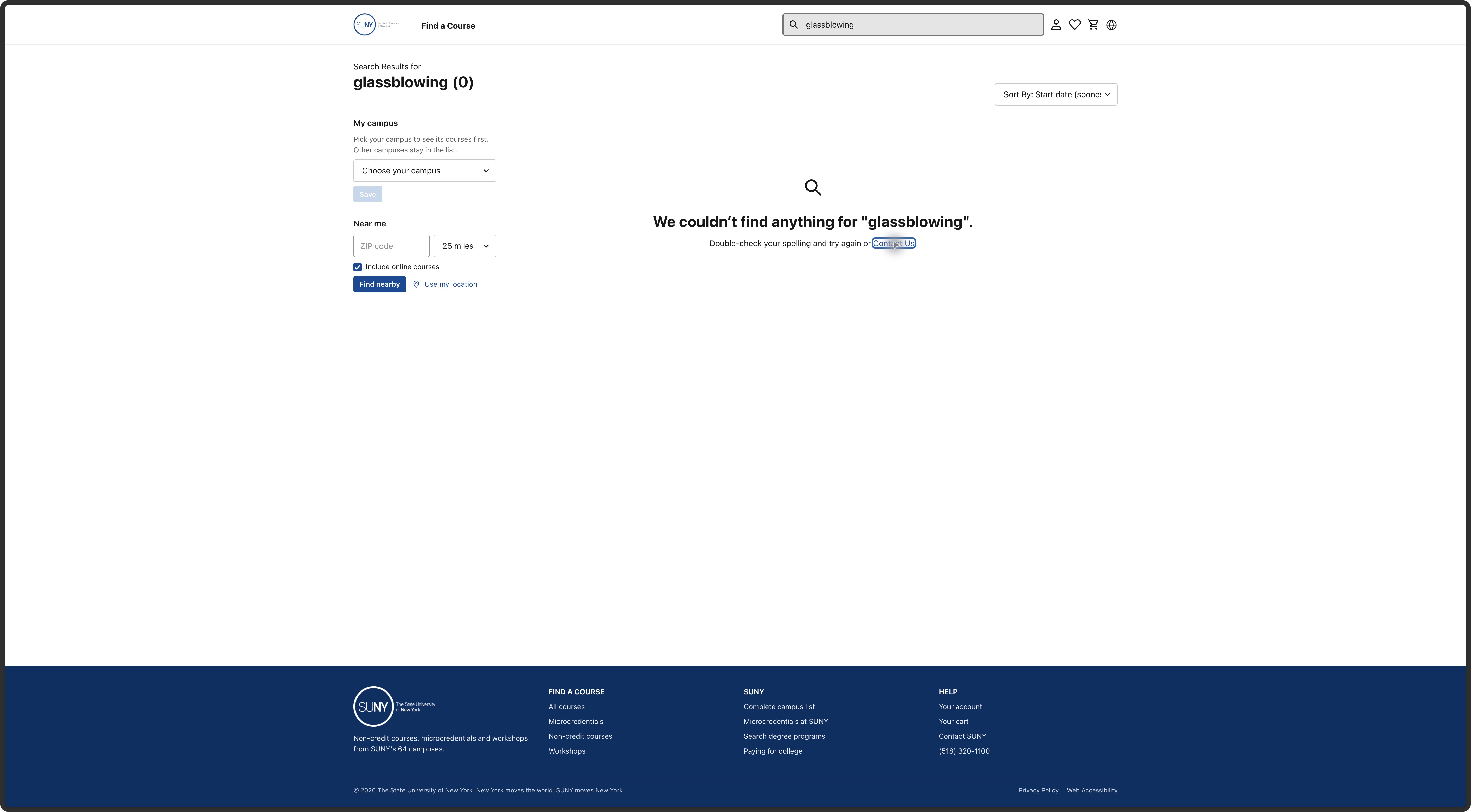
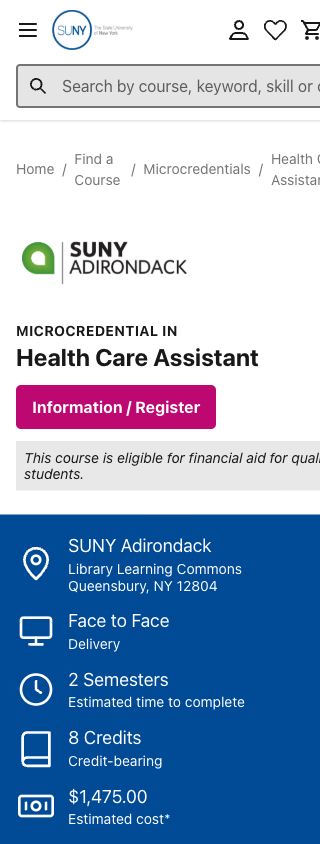
C27: Make the course page fit on a phone
Comment: “On a small phone, the header and course details run off the right edge. Let the page wrap so people can read everything and reach the controls.”
Observed here: On a narrow phone view, the course page extends beyond the right edge, including part of the header and aid text.
Target: Course page on a small phone, clipped right edge of the search field and financial-aid message. Location: 98.0%, 58.0%. Type: improvement. Category: Accessibility. Journey stage: Look at a course. Scope: Shared pattern. Trace: F-028, N-001/N-004, E-063. Browser viewport test; no physical phone was used.
C28: Keep search easy to find
Comment: “Keep search near the top. Someone who knows a course, skill or campus can start right away.”
Observed here: The homepage places a direct course search near the top.
Target: Homepage, Find a course button beside the hero search. Location: 50.55%, 10.66%. Type: keep what works. Category: Information Architecture. Journey stage: Hear about it. Trace: N-004, E-065; homepage check. Search submissions were checked in earlier course scenarios, not this capture.
C29: Help people start with a goal
Comment: “Add a way to browse by subject or learning goal here. Someone exploring a new direction may not know a course name or type yet.”
Observed here: The homepage introduces ways to learn, then leads with course types and campuses rather than a goal or subject.
Target: Homepage, Learn your way opening. Location: 50.0%, 15.35%. Type: improvement. Category: Information Architecture. Journey stage: Hear about it. Trace: F-041, N-003/N-004, E-065; learner needs. This is a proposed path to test.
C30: Explain the three choices
Comment: “Briefly explain how a microcredential differs from a course or workshop, and what each might lead to. Use terms SUNY has approved for public use.”
Observed here: The homepage places microcredentials, non-credit courses and workshops side by side without explaining their different outcomes.
Target: Homepage, Microcredentials course-type card. Location: 22.41%, 19.26%. Type: improvement. Category: Content Strategy. Journey stage: Hear about it. Trace: F-042, N-003, E-065; glossary; May language feedback.
C31: Check the course-length promise
Comment: “Check the claim that non-credit courses last a semester. Give people a way to see the actual dates and hours for each course.”
Observed here: The homepage describes non-credit courses as semester-length even though individual dates and hours vary.
Target: Homepage, Non-Credit Courses description. Location: 45.0%, 20.6%. Type: question for the owner. Category: Content Strategy. Journey stage: Hear about it. Trace: F-042, N-001, E-065; glossary. SUNY must confirm category wording.
C32: Clarify what no admission means
Comment: “Explain ‘no admission required’ alongside any approval or entry rules for this course. People should know what they need to do before joining.”
Observed here: The homepage says no admission is required, while some course paths may still need approval or entry checks.
Target: Homepage, no-admission statement in Non-Credit Courses description. Location: 56.0%, 22.2%. Type: question for the owner. Category: Content Strategy. Journey stage: Hear about it. Trace: F-042, N-004, E-065; requirements and distinction. Degree admission and course approval may differ.
C33: Make room for course discovery
Comment: “The full logo grid takes much more space than the course choices. Keep a shorter campus entry here and bring course examples higher.”
Observed here: The campus logo directory occupies much more of the homepage than examples of courses.
Target: Homepage, 64 campuses heading and directory. Location: 50.0%, 27.44%. Type: improvement. Category: Visual Design. Journey stage: Hear about it. Trace: F-043, N-003/N-004, E-065. This is a hierarchy judgment; attention was not measured.
C34: Keep the campus shortcut
Comment: “Keep the campus link. It helps someone who already knows where they want to study.”
Observed here: A campus link gives visitors who know their preferred campus a direct starting point.
Target: Homepage, first campus link in the directory. Location: 15.86%, 33.6%. Type: keep what works. Category: Information Architecture. Journey stage: Hear about it. Trace: F-043, N-004, E-065; campus-link check.
C35: Name the next page plainly
Comment: “The heading ‘Which SUNY are you?’ leads to all courses. Use a heading that tells people they can browse courses here.”
Observed here: The heading “Which SUNY are you?” sits above a route into all courses.
Target: Homepage, Which SUNY are you heading. Location: 50.0%, 68.98%. Type: improvement. Category: Information Architecture. Journey stage: Hear about it. Trace: F-041, N-004, E-065; homepage links.
C36: Show more than one kind of example
Comment: “The homepage promises courses, workshops and microcredentials, but this section shows only microcredentials. Try a few current examples from each choice.”
Observed here: A homepage section features microcredentials even though the opening promises three kinds of learning.
Target: Homepage, Microcredentials starting soon heading. Location: 50.0%, 78.97%. Type: improvement. Category: Information Architecture. Journey stage: Hear about it. Trace: F-044, N-003, E-065; homepage check. Example mix needs current campus data.
C37: Show when people would attend
Comment: “This card gives a start date and says hybrid. Add meeting days and times, when known, so someone can judge whether it fits their week.”
Observed here: The featured course card shows a start date and “hybrid,” but no meeting days or times.
Target: Homepage, Advanced Foundations featured card. Location: 19.06%, 85.59%. Type: improvement. Category: Content Strategy. Journey stage: Hear about it. Scope: Shared pattern. Trace: F-030, N-001, E-065; attendance research.
C38: Spell out the badges
Comment: “Spell out ‘Cert’ and ‘PTT’ where people see these options. Explain what each means for this course and who decides eligibility.”
Observed here: The featured Teaching Assistant card uses “Cert” and “PTT” badges without spelling them out.
Target: Homepage, Teaching Assistant III featured card badges. Location: 39.41%, 85.59%. Type: improvement. Category: Content Strategy. Journey stage: Hear about it. Scope: Shared pattern. Trace: F-021, N-002/N-003, E-065; May language feedback.
C39: Put help near the first choice
Comment: “Contact SUNY is here in the footer. Also give people a clear way to ask near the search and course choices, before they must pick a campus.”
Observed here: A Contact SUNY link appears in the footer, away from the first course choice.
Target: Homepage, Contact SUNY footer link. Location: 86.67%, 96.36%. Type: improvement. Category: Information Architecture. Journey stage: Ask a question. Scope: Shared pattern. Trace: F-045, N-005, E-065; public-question rules. Confirm the approved route and owner.
C40: Explain when credit or aid applies
Comment: “The words ‘many’ and ‘some’ help. Show which courses offer credit or aid, and what someone must do to qualify.”
Observed here: The microcredentials card says many stack toward credit and some qualify for aid, without identifying which ones.
Target: Homepage, Microcredentials description. Location: 24.0%, 22.0%. Type: question for the owner. Category: Content Strategy. Journey stage: Hear about it. Trace: F-042, N-002/N-003, E-065; glossary. Approved pathway and aid rules need SUNY confirmation.
C41: Keep funding details together
Comment: “Keep the scholarship name, who may qualify and who decides together. That helps people judge whether this funding is worth checking.”
Observed here: The Potsdam funding section keeps the scholarship name, conditions and decision maker together.
Target: Potsdam funding, scholarship conditions and decision statement. Location: 54.0%, 37.0%. Type: keep what works. Category: Content Strategy. Journey stage: Look at a course. Trace: N-002, E-052; journey handoff. Eligibility was not independently confirmed.

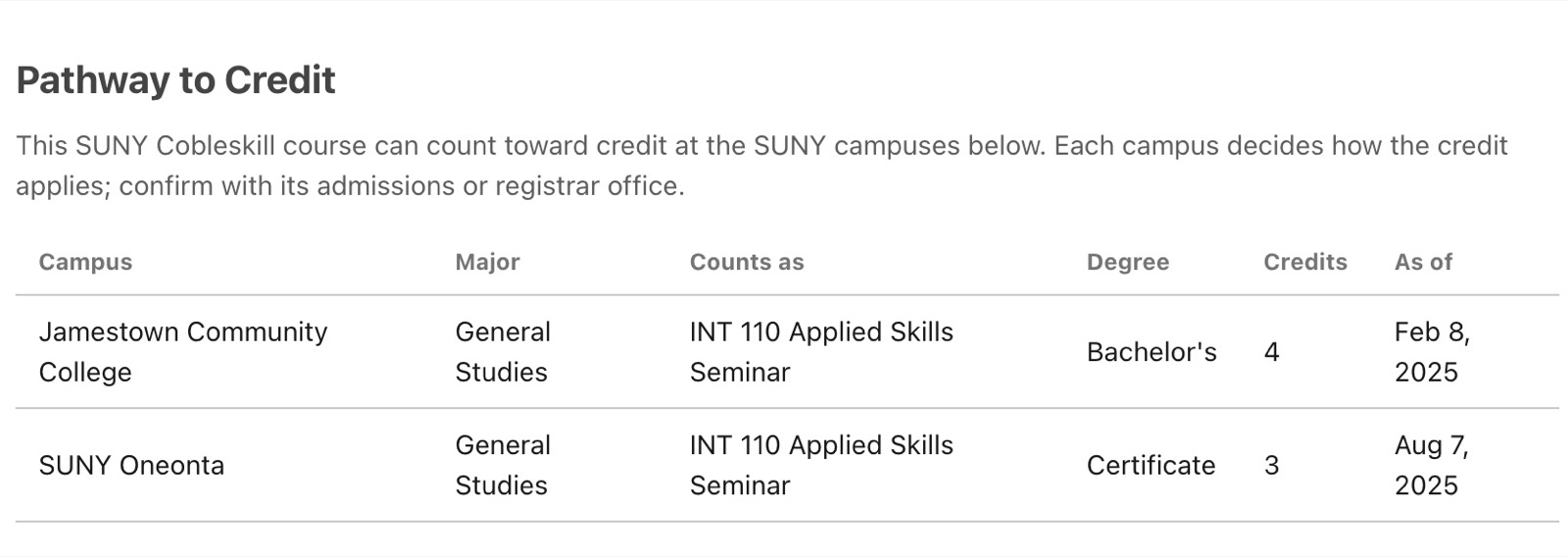
C42: Keep credit details together
Comment: “Keep the receiving campuses, credits and dates together. The note that each campus decides how credit applies is especially useful.”
Observed here: The Cobleskill table lists receiving campuses, credits and dates, and says each campus decides how credit applies.
Target: Cobleskill pathway, Pathway to Credit table. Location: 76.0%, 59.0%. Type: keep what works. Category: Content Strategy. Journey stage: Look at a course. Trace: N-003, E-051; journey handoff. Agreements and dates need campus confirmation.
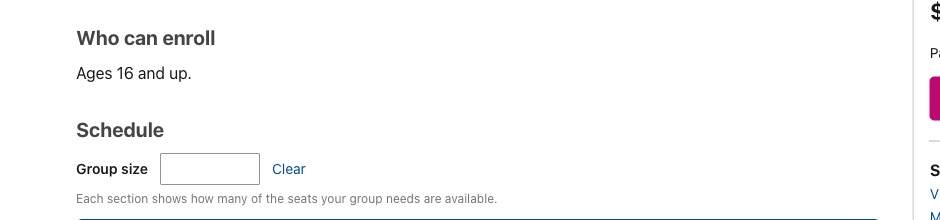
C43: Clarify what a group-size check does
Comment: “When someone checks places for a group, say whether this only checks availability or also holds seats.”
Observed here: The group-size field opens from a seat check, but the screen does not explain whether checking holds places.
Target: Group size check, Group size field. Location: 22.0%, 75.0%. Type: question for the owner. Category: Information Architecture. Journey stage: Pick when to take it. Trace: F-026, N-006, E-062; journey handoff. No group size was submitted during this review.
C44: Make the homepage fit on a phone
Comment: “On a small phone, the homepage runs past the right edge, cutting off part of the header and introduction. Make both fit so nothing is lost.”
Observed here: On a narrow phone view, the homepage header and hero extend beyond the right edge.
Target: Homepage on a small phone, clipped right edge of header and hero. Location: 96.0%, 2.0%. Type: improvement. Category: Accessibility. Journey stage: Hear about it. Scope: Shared pattern. Trace: F-028, N-004, E-065; viewport measurements. This is a browser-width check, not a physical-phone test.

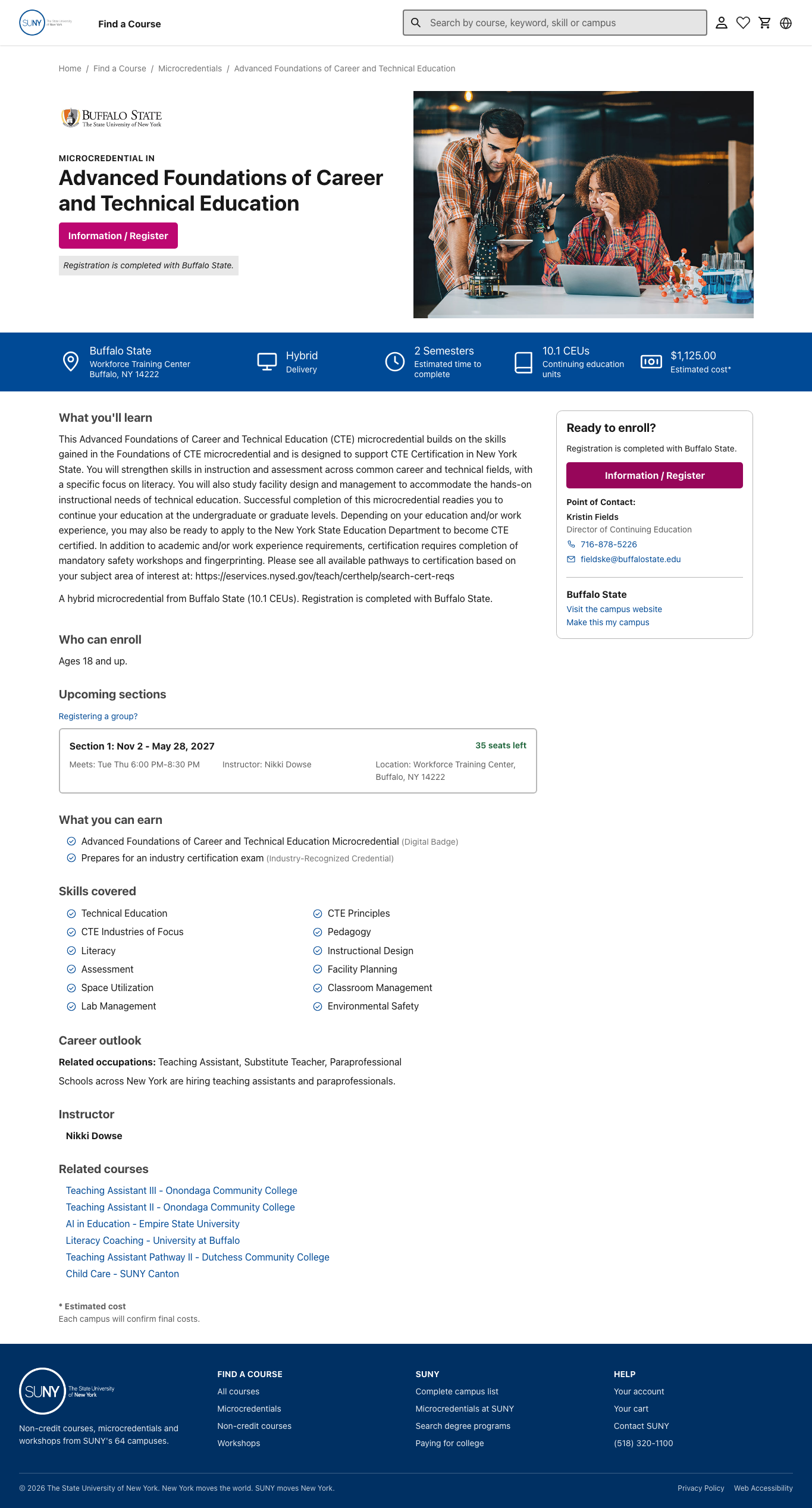
C45: Separate joining from later certification
Comment: “Say whether age is the only entry condition here. Keep any later certification requirements separate, so people know what joining this course actually requires.”
Observed here: The Buffalo State page states an age requirement near enrollment information, while later certification conditions appear elsewhere.
Target: Buffalo State microcredential, Who can enroll age statement. Location: 17.0%, 48.0%. Type: question for the owner. Category: Content Strategy. Journey stage: Look at a course. Trace: F-046, N-003/N-004; fresh browser check; prerequisite rules. No extra admission condition has been confirmed for this offering.
C46: Give a closed class a next step
Comment: “This class is closed, but another date has places. Keep that choice clear. If neither date works, show the confirmed way to ask about the next class.”
Observed here: One Health Care Assistant section is closed and another shows available places.
Target: Health Care Assistant, open Section 2 below the closed Section 1. Location: 45.0%, 86.0%. Type: improvement. Category: Information Architecture. Journey stage: Pick when to take it. Trace: F-047, N-001/N-005, E-028; availability rules. Full and Coming Soon actions remain untested.
C47: Keep campus choice clear
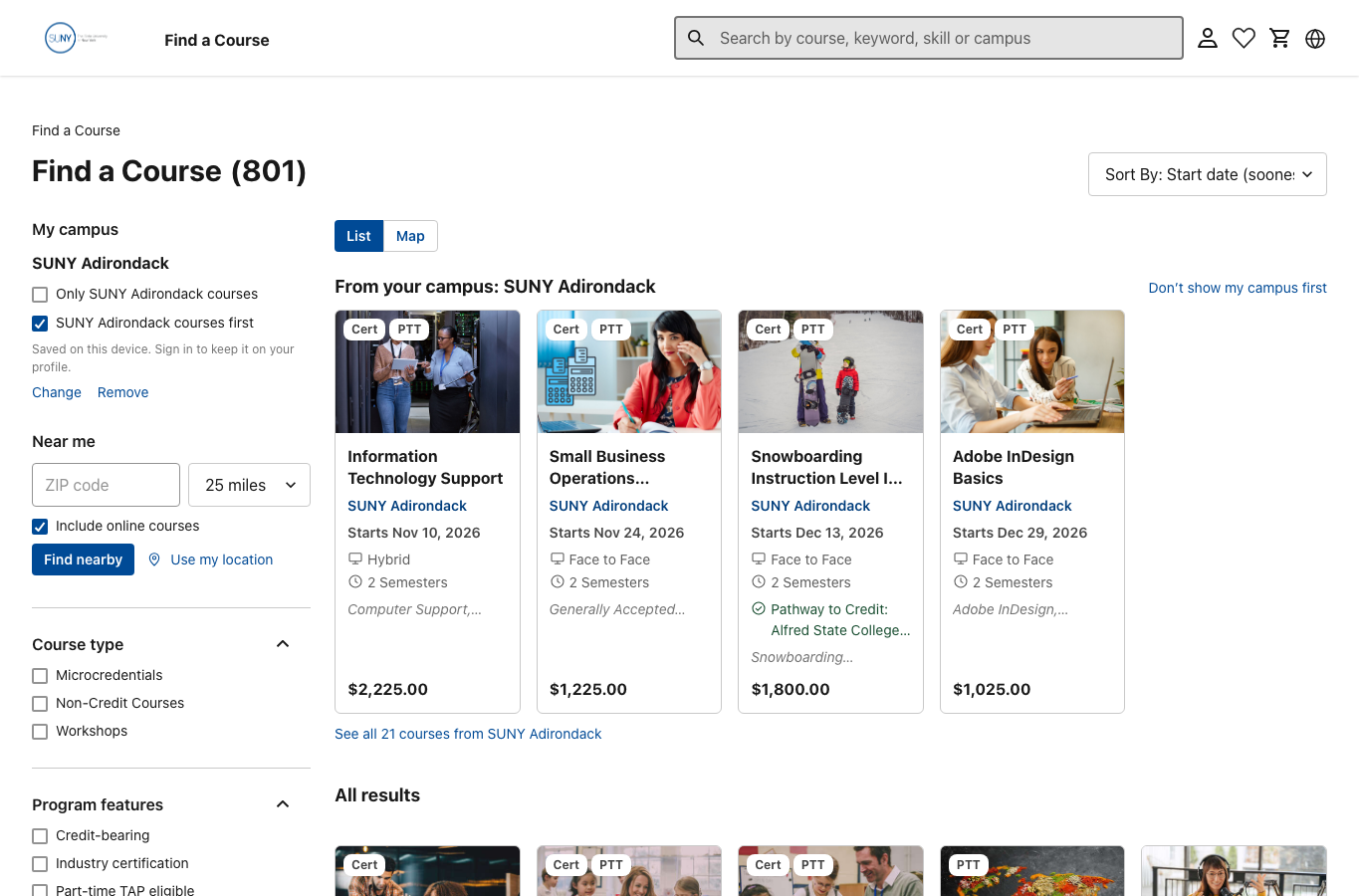
Comment: “Keep the difference between seeing your campus first and showing only its courses. Say what Near me measures so someone can judge travel before narrowing the list.”
Observed here: The catalog distinguishes showing a preferred campus first from showing only that campus’s courses.
Target: Course list with a preferred campus, campus ranking and Only SUNY Adirondack courses choices. Location: 13.0%, 32.0%. Type: question for the owner. Category: Information Architecture. Journey stage: Search and browse. Trace: F-048, N-001/N-004; browser check; location stories. Actual distance results were not checked.
C48: Show a sponsored learner what to do
Comment: “This says to ask an employer about tuition help. Also explain when a learner should use Register, whether they owe anything, and who confirms their place.”
Observed here: The workshop suggests employer tuition assistance but does not explain a sponsored learner’s sign-up and payment route.
Target: Workshop funding, Employer Tuition Assistance section. Location: 33.0%, 70.0%. Type: question for the owner. Category: Content Strategy. Journey stage: Next step. Trace: F-049, N-002/N-004/N-006, E-027; employer and grant rules. No sponsored route was entered.
C49: Carry the language choice through
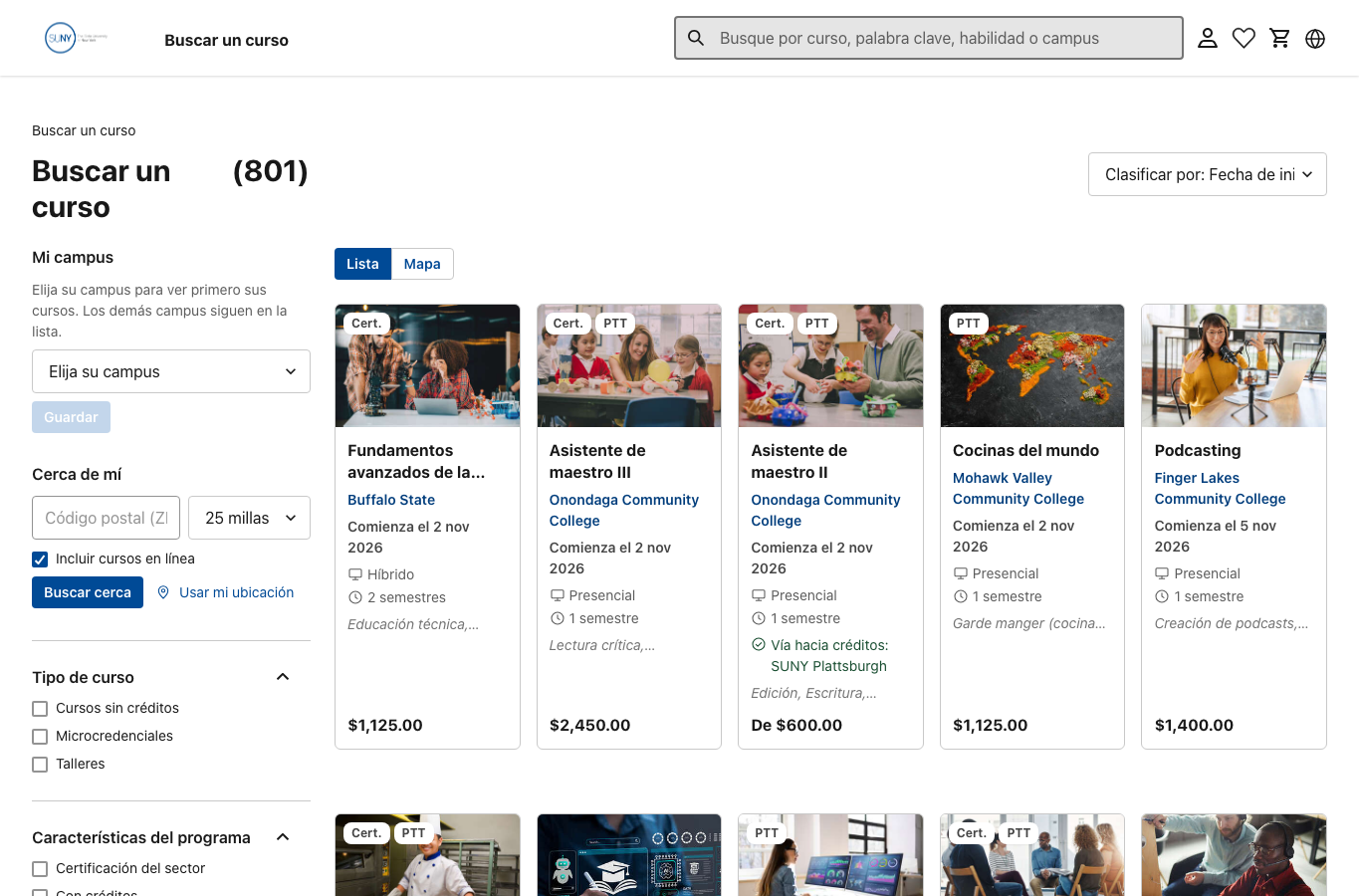
Comment: “The ‘Skip to Content’ link stays in English after someone switches to Spanish. Translate it, then check the rest of the course journey in Spanish.”
Observed here: The Spanish catalog still shows “Skip to Content” in English after the language choice changes.
Target: Spanish catalog, language selector in the header. Location: 96.7%, 4.2%. Type: question for the owner. Category: Accessibility. Journey stage: Search and browse. Trace: F-050, N-004/N-005; browser check; RFP language requirement. Only the sampled catalog state was checked.
C50: Distinguish another course from another seat
Comment: “This cart has one class and a quantity box. Check how someone adds a different class, and label that separately from adding another seat.”
Observed here: The cart shows one workshop and a quantity control, leaving another course and another seat easy to confuse.
Target: Cart, Cart (1 item) heading above the selected workshop. Location: 32.0%, 8.2%. Type: question for the owner. Category: Information Architecture. Journey stage: Next step. Trace: F-026, N-004/N-006, E-031; May 21 two-course discussion. A second item was not added in this review.
C51: Name who awards the credential
Comment: “Name the organization that awards this badge. Keep that award separate from preparation for a later industry exam.”
Observed here: The Buffalo State outcome list names a badge but does not identify its awarding organization there.
Target: Buffalo State microcredential, first entry under What you can earn. Location: 21.0%, 62.5%. Type: question for the owner. Category: Content Strategy. Journey stage: Look at a course. Scope: Shared pattern. Trace: F-021, N-003; awarding-authority story; fresh browser check. The badge's issuer has not been confirmed.
C52: Let people read the whole course name
Comment: “Show the full course name. It stops after two lines, hiding the subject and level that may help someone choose.”
Observed here: The first Spanish result title ends with an ellipsis, hiding part of the course name.
Target: Spanish catalog, first card title ending “Fundamentos avanzados de la...”. Location: 30.0%, 51.7%. Type: improvement. Category: Visual Design. Journey stage: Search and browse. Scope: Shared pattern. Trace: F-036/F-050, N-003/N-004, live card measurements E-066. Keep the full title visible or provide an equally clear way to read it before opening the course.
C53: Break up the long description
Comment: “Split this long paragraph into short answers: what people learn, what the course involves, and what certification still requires.”
Observed here: The Buffalo State learning description combines course content and later certification information in one long paragraph.
Target: Buffalo State microcredential, long What you'll learn paragraph. Location: 36.0%, 33.5%. Type: improvement. Category: Visual Design. Journey stage: Look at a course. Trace: F-051, N-001/N-003, live line measurements E-066; reading guidance. Campus approval of the rewritten wording remains needed.
C54: Agree the site's navigation map
Comment: “This header gives people a clear way to find courses. Map the other pages and ways back before settling the menu, then test the labels with real course tasks.”
Observed here: The shared header offers Find a Course; the checked public routes also include search, campus and footer paths.
Target: Homepage, Find a Course in the shared header. Location: 15.2%, 1.2%. Type: question for the owner. Category: Information Architecture. Journey stage: Hear about it. Scope: Shared pattern. Trace: F-052, N-004/N-005; live public-route inventory; site-map deliverable in proposal. Confirm the current public site map with the team; signed-in navigation was not inspected.
Using these comments
Keep comment IDs and finding links stable. Select the useful markers for the discussion rather than showing every marker at once. Each dot must also have a keyboard-accessible label, visible focus and a matching entry in a readable comment list. Use a static marker when reduced motion is requested. Keep owner questions visible until answered; do not silently turn them into confirmed defects or final product rules.